

Images carry much of the visual weight of a Wix site, from the homepage hero and product shots to section backgrounds. They are also the single biggest reason Wix sites load slowly, and the connection between image size and actual performance is less obvious than most people expect. This piece breaks down what large images do to loading behavior, how that feeds into Core Web Vitals and search rankings, and what meaningful Wix speed optimization looks like when images are the root cause.
What Large Images Actually Do to a Wix Page Load
When a browser loads a Wix page, it fetches resources in priority order. Images in the first viewport get loaded early. If those images are large, uncompressed files, the browser spends most of its loading window waiting for them to arrive before rendering anything else.
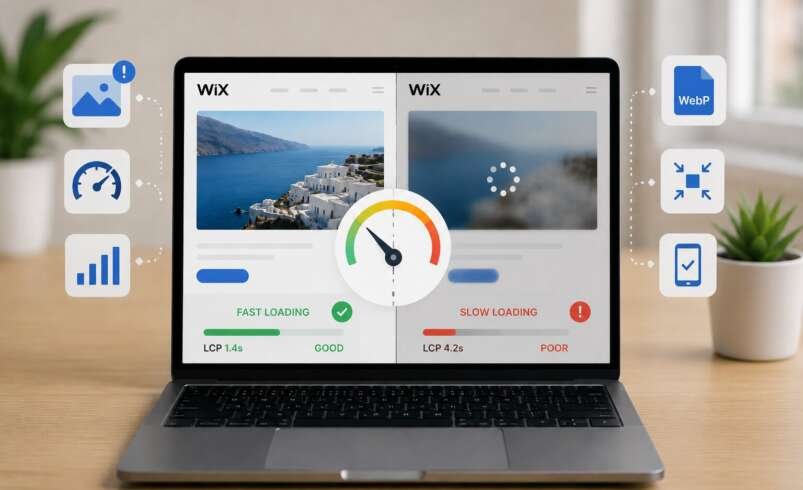
This directly affects Largest Contentful Paint (LCP), the metric measuring how long the main visible content takes to appear. Google recommends keeping LCP at or below 2.5 seconds for a good user experience. Anything above that is considered “Needs Improvement” or “Poor,” depending on how high the value is.
A hero image uploaded at full camera resolution, often 5 to 10MB, can push LCP past four seconds on a mobile connection without any other issues on the page.
Wix applies automatic resizing, but does not always serve the most optimized version per device. A mobile visitor loading a desktop-sized image receives far more data than the screen can display, and that excess translates directly into a slower experience.
Why LCP Is Only Part of the Problem
Cumulative Layout Shift (CLS) is also frequently caused by images that lack defined dimensions. When a browser does not know an image’s dimensions, it shifts surrounding elements as the image finishes loading. That visual instability is exactly what CLS measures, and both LCP and CLS are confirmed Google ranking signals. A site failing both works against its own SEO regardless of content quality.
How Wix Handles Below-the-Fold Images
Wix has native lazy loading designed to defer images outside the initial viewport. In practice, this does not always behave as expected. Gallery images, section backgrounds, and some widget images can load eagerly even below the fold, pulling bandwidth away from content that needs to render first.
A Wix site with full-screen background images in every section illustrates this well. Even if a visitor never scrolls past the second section, several of those images may have already downloaded, inflating page weight to several megabytes on what looks like a simple layout. Effective Wix speed optimization controls which images load at all, not just whether they are compressed.
Image Format and Its Real-World Load Time Impact
The format of an image matters as much as its dimensions. PNG files, common for design exports and product shots, can be three to five times heavier than an equivalent WebP file at comparable quality. WebP handles photographs and graphics efficiently and is supported across all modern browsers.
What Format to Use and When
Converting from PNG or JPG to WebP before upload can reduce file size by 30 to 70 percent with no visible difference to the viewer. A reliable website speed optimizer can handle this at the delivery level, serving WebP automatically and falling back to JPG where needed, rather than relying on manual conversion for every upload.
The Gap Between Desktop and Mobile Performance
Google’s mobile-first indexing means the mobile version of a Wix site determines search rankings, not the desktop version. An oversized hero image might load in 1.2 seconds on a laptop but take 3.5 seconds on a mid-range phone. That difference is the entire margin between passing and failing LCP.
Desktop machines process faster and connect over faster networks. Mobile devices carry every unoptimized byte as real load time, and the impact shows in bounce rates and conversions. For Wix sites with strong desktop scores but poor mobile performance, images are almost always the first place to investigate.
Final Thoughts
Large images rarely look like a problem from the outside, which is exactly why they go unaddressed for so long. They slow down LCP scores, cause layout shifts, and add unnecessary weight to every visit. Getting image size under control is one of the most reliable ways to improve Core Web Vitals, mobile performance, and search visibility on Wix without redesigning a single section.
Frequently Asked Questions
Why do large images slow down a Wix website?
Large images increase the browser’s download time before the page can render, directly delaying LCP and overall load performance.
Does Wix automatically optimize uploaded images?
Wix applies basic processing, but does not always serve the smallest file per device. Optimizing images before upload still makes a measurable difference.
What image format works best on Wix?
WebP produces significantly smaller files than PNG or JPG at comparable quality and is the preferred choice for photographs and graphics.
Why is a Wix site slower on mobile than desktop?
Mobile devices process and download data more slowly, and Google’s mobile-first indexing means those delays directly affect rankings.