

Businesses increasingly need to understand what is happening across their physical operations without waiting for manual reports or searching through disconnected software systems. Equipment conditions change, warehouse tasks move quickly, and maintenance teams often need accurate information while working on-site. AR and IoT integration can help address these challenges by connecting data from physical devices with digital information displayed in the user’s real-world environment.
The Internet of Things (IoT) collects information through connected sensors, equipment, and devices. Augmented reality (AR) overlays digital information onto a view of the physical world. When these technologies work together, employees may be able to view equipment status, identify assets, access relevant instructions, and respond to operational information without relying exclusively on separate dashboards or paper-based processes.
For businesses in the UAE, this approach can be relevant to manufacturing, logistics, facilities management, construction, retail, and other environments where timely information supports everyday decisions. However, successful implementation requires more than connecting a sensor to an AR application. The solution must address a genuine business problem, present reliable information, fit existing workflows, and justify its total cost.
This guide explains how AR and IoT work together, where businesses can apply them, what benefits they may offer, and how organisations can evaluate an implementation before investing.
What Is AR and IoT Integration?
AR and IoT integration connects information collected from the physical world with a visual interface that helps people understand that information in context.
IoT devices may include temperature sensors, vibration monitors, location trackers, connected meters, industrial equipment, and other networked devices. These devices collect specific measurements or status information and transmit it to a software platform.
AR applications use compatible devices, such as smartphones, tablets, or supported smart glasses, to overlay digital content onto a view of the surrounding environment. Depending on the application, this content may include equipment identifiers, operating values, alerts, diagrams, or step-by-step guidance.
When integrated, the two technologies can make operational data easier to locate and interpret. A maintenance employee might see the current status of a connected machine while standing beside it, rather than searching for the correct asset in a separate monitoring system.
The exact experience depends on the design. Some applications display simple labels or status indicators, while others combine 3D models, spatial tracking, and detailed instructions. Businesses do not necessarily need sophisticated smart glasses or complex 3D environments to benefit; a well-designed mobile AR application may be sufficient for a particular task.
The central idea is to connect relevant information with the place where a decision or action takes place.
How AR and IoT Work Together in a Business Environment
Understanding the technology is easier when the process is broken into practical stages. A typical implementation includes connected devices, a data platform, an AR interface, and a workflow that helps users act on the information.
1. IoT devices collect operational information
Sensors and connected devices gather information about the physical environment or an asset. Depending on the use case, they may report temperature, vibration, energy consumption, location, pressure, operating status, or other measurements.
For example, a connected pump might transmit its operating temperature and status at defined intervals. A warehouse tracking system might provide the latest recorded location of an asset.
The data collected should relate directly to the business problem. Adding more sensors does not automatically make an application more useful; unnecessary data can increase storage, integration, and maintenance requirements.
2. The IoT platform processes the data
Collected information is transmitted to a suitable system for storage, processing, monitoring, or analysis. The platform may validate readings, associate them with the correct asset, apply business rules, and identify conditions that require attention.
For example, a maintenance system may flag a reading that falls outside a defined operating range. Before presenting the information to a worker, the application should establish which machine the reading belongs to and whether the data is recent enough to be useful.
This stage is important because an AR interface is only as reliable as the information supplied to it. Incorrect asset mapping or outdated readings can lead to confusion even when the visual experience works perfectly.
3. AR presents information in context
The AR application identifies the relevant object or location using the capabilities available on the device. It then displays selected information in the appropriate part of the user’s view.
A worker inspecting a machine might see its identifier, the latest available sensor reading, an alert, and a link to approved maintenance instructions. A facilities employee could access relevant equipment information while inspecting a building system.
The display should be designed around the task. Employees should not have to interpret a screen crowded with readings that do not affect their immediate decision.
4. Employees take action through the established workflow
After reviewing the information, employees may investigate a problem, follow approved instructions, record an inspection, or escalate an issue to a qualified colleague.
Depending on the architecture, the AR application may also allow users to acknowledge an alert, record task completion, or update a connected business system.
Critical actions should remain subject to appropriate authorisation and verification. AR guidance should not encourage employees to bypass safety procedures or treat an uncertain sensor reading as definitive evidence.
5. The organisation reviews results
Operational systems can record relevant events, task completion, and other measures that help the business evaluate the process. Managers can then compare performance against an established baseline.
This closes the loop between connected data, visual guidance, employee action, and operational improvement.
AR and IoT Integration Use Cases Across Business Operations
The most valuable AR and IoT integration use cases are those in which employees need current information while interacting with equipment, products, assets, or physical locations. The following examples illustrate possible applications; they are not claims about specific deployed customer projects.
Manufacturing and equipment maintenance
Manufacturing environments often contain equipment that requires regular inspection, maintenance, and performance monitoring. IoT sensors can collect operating data, while connected software helps maintenance teams identify unusual readings or equipment conditions.
An AR application can then present selected information when a technician approaches the relevant machine. The interface might show the asset identifier, recent alerts, inspection instructions, or a link to the maintenance record.
This can reduce the effort required to find the correct information across multiple systems. It may also help newer employees understand equipment layouts and follow standard procedures.
However, businesses should first verify that the sensor readings are reliable and that maintenance instructions remain current. AR should support established maintenance processes rather than independently determine whether equipment is safe to operate.
Logistics and warehouse operations
Warehouses and logistics facilities handle moving inventory, storage equipment, vehicles, and assets across large spaces. IoT-enabled tracking and connected systems can provide information about asset location, equipment status, and environmental conditions.
An AR interface could help workers identify an asset, display relevant handling instructions, or locate a specific operational area. For example, an employee inspecting a connected piece of warehouse equipment might view its latest recorded status and the appropriate inspection checklist.
The value depends on the accuracy of the underlying records. If location data is delayed or inventory information is inconsistent, displaying it through AR will not solve the original problem. Businesses should integrate the application with their warehouse or inventory system and clearly indicate when information was last updated.
Facilities management and smart buildings
Building operators may use connected sensors to monitor environmental conditions, energy consumption, or equipment status. Yet a monitoring dashboard may not always show a technician which device is associated with an alert in a large building.
AR could help bridge that gap by displaying an equipment identifier and relevant readings while the employee is inspecting the physical location. It could also provide access to maintenance history or approved operating documentation.
For a building with several connected systems, this approach may help teams navigate equipment rooms and retrieve information more efficiently. Organisations should still consider access permissions, building-system compatibility, and the consequences of inaccurate or unavailable data.
Construction and infrastructure
Construction teams often need to compare plans, installed components, and site conditions. IoT sensors may provide information about equipment, environmental conditions, or selected assets, while AR can display digital models or relevant status information alongside the physical environment.
A project team might use AR to review a planned component’s position or help locate a connected asset. Where accurate spatial alignment is essential, the application must be tested carefully because positioning errors can affect the usefulness of the overlay.
The technology should support documented inspection and coordination procedures. It should not be treated as a substitute for required engineering checks, surveying, or professional approval.
Retail and connected products
Retail businesses may combine connected product information with AR experiences that help customers or employees understand a product. An AR application could display product details, setup instructions, or compatible accessories. Where a product includes connected functionality, the application might also show selected operating information.
For example, a customer viewing a connected device could access a visual setup guide while the device’s software reports whether the setup process has reached a particular stage.
Such applications need a clear purpose, appropriate consent, reliable product information, and a straightforward user experience. Businesses should avoid collecting or displaying personal information that is unnecessary for the task.
Real-Time IoT Data Visualisation With AR
Real-time IoT data visualisation with AR can help employees understand operational information at the location where it matters. Instead of interpreting a reading without knowing which asset it belongs to, users can view selected information alongside the relevant physical object.
Consider a technician inspecting several similar machines. A separate dashboard may show a list of machine identifiers and readings, but the technician must still identify the correct record. An AR application could connect a recognised machine or asset label with the corresponding data and display the most relevant values.
The same principle can apply to building equipment, warehouse assets, and connected industrial devices. The interface might show a status indicator, the latest recorded measurement, a trend summary, or an alert requiring further investigation.
What does real-time mean in practice?
Real-time does not always mean that information appears instantly. Sensors may collect data at intervals, networks may introduce delays, and platforms may process information before making it available to an application.
Businesses should define the freshness requirements for each use case. A non-critical environmental reading may tolerate a different delay from information used in a time-sensitive inspection.
Where timing matters, the interface should show timestamps or other indicators that help users understand whether the information is current. If the connection fails, the application should communicate that limitation rather than silently presenting old readings as live data.
How to make AR data easier to interpret
Good visualisation prioritises useful information over visual complexity. Businesses should consider:
- Showing only readings relevant to the current task.
- Using clear labels and units for measurements.
- Distinguishing warnings from ordinary status information.
- Providing access to additional details without overcrowding the display.
- Indicating when readings were last updated.
- Offering a practical fallback when the AR device or network is unavailable.
The goal is not to display every available sensor reading. It is to help users understand the information they need to complete a task correctly.
Augmented Reality for Connected Devices
Augmented reality for connected devices can connect physical products and equipment with digital instructions, status information, and service workflows. This can be useful when devices have several components, require regular maintenance, or need support from employees with different levels of experience.
For example, a field technician working on a connected unit might use AR to identify its components and retrieve the relevant service documentation. If the unit reports an error through its IoT platform, the application could display the corresponding alert and direct the technician to an approved diagnostic procedure.
A consumer product could use a similar approach for installation and setup. The AR interface might show where a component belongs, while the connected device confirms whether a configuration step has been completed.
These experiences require coordination between hardware, device software, cloud or local platforms, and the AR application. Businesses must decide how device identities are managed, how data is shared, and how software updates are handled.
It is also important to distinguish an instructional overlay from a confirmed device state. A visual guide may show where a component should be located, but it cannot prove that the component has been installed correctly unless an appropriate verification mechanism exists.
AR Dashboards for Business Operations
AR dashboards for business operations provide a way to present selected operational information within the user’s physical environment. They can complement conventional dashboards, which remain useful for reviewing multiple assets, analysing trends, and monitoring an entire operation.
A traditional dashboard is generally better suited to comparing information across many devices or locations. An AR dashboard can be useful when an employee needs to understand the status of one particular asset or location while working on-site.
For example, a facilities team might use a desktop dashboard to identify a building system that needs inspection. An employee at the site could then use AR to locate the relevant equipment and view its latest recorded status.
Designing a useful AR dashboard
Start with the user’s task, not the available visual effects. Decide what decision the employee must make, which information supports that decision, and what action should follow.
A practical interface may include the asset name, a few important readings, the time of the latest update, and a link to more detailed information. If the task requires detailed analysis, the user should be able to open a conventional dashboard or reporting system.
AR interfaces also need to account for the physical environment. Small text, complex menus, and excessive notifications can make the application difficult to use, especially when employees are moving or wearing protective equipment.
Testing with actual users is therefore essential. A display that looks effective in a demonstration may not be practical during a busy shift.
Benefits of AR IoT Integration for Business Teams
The benefits of AR IoT integration depend on the quality of the data, the suitability of the workflow, and whether employees can use the solution effectively. When those conditions are met, the combination may offer several practical advantages.
Better access to operational information
Employees can access relevant information in the context of the asset or location they are working with. This may reduce the need to switch between physical equipment, paper documentation, and multiple software screens.
The improvement is most likely when information is currently difficult to locate or interpret. If the existing process is already simple and reliable, an AR interface may add limited value.
More consistent work procedures
AR can present approved instructions, diagrams, and checklists while IoT systems supply relevant device information. This can help teams follow a more consistent process, particularly where equipment and procedures are complex.
However, content needs to be maintained. Outdated instructions can undermine the usefulness of the application, so businesses should assign responsibility for reviewing and updating digital guidance.
Improved equipment visibility
IoT systems can make selected equipment conditions visible across a business. AR can make that information easier to associate with a physical asset.
For example, a technician may be able to identify the correct equipment and review its latest recorded status without manually searching through a long list of devices. This can support the investigation process, although it does not guarantee that every problem will be detected or resolved faster.
More informed employee decisions
Presenting information close to the task may help employees understand the context of an alert or operational reading. A clear interface can make it easier to distinguish which equipment needs attention and where additional information is available.
Decision quality still depends on data reliability, staff training, and appropriate procedures. AR should communicate uncertainty clearly and allow employees to verify important information.
Potential improvements in productivity and training
If an application reduces unnecessary searching, supports consistent procedures, or helps employees learn a task, it may contribute to better productivity. Organisations should test these outcomes rather than assume them.
Useful measurements include task completion time, error rates, repeated visits, training assessment results, and employee feedback. A pilot should compare these indicators against the existing process to determine whether the technology provides enough value to justify its costs.
How AR, VR, and IoT Work Together in a Broader Solution
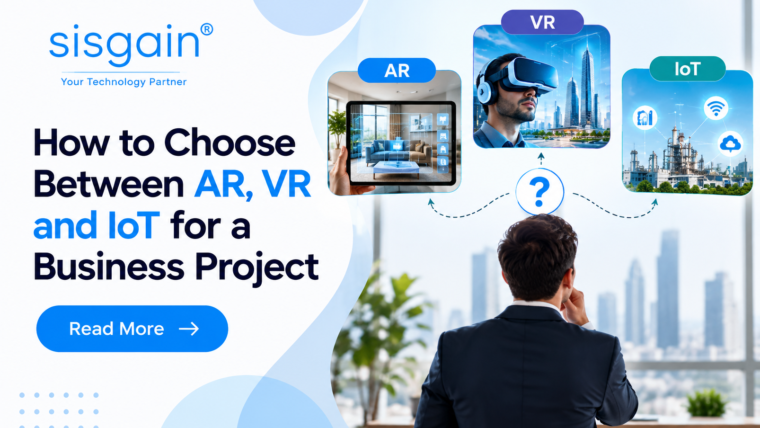
Although this article focuses on AR and IoT, some business projects also involve virtual reality. Understanding how AR VR and IoT work together can help organisations decide whether an integrated approach offers value beyond a single application.
IoT provides data from physical devices. AR presents selected information in the real environment. VR creates an immersive digital environment that can support training, simulation, design reviews, or virtual demonstrations.
Imagine a company that operates a facility with connected industrial equipment. IoT sensors monitor selected operating conditions, and an AR application displays relevant readings to maintenance employees during inspections. The company could also develop a VR training environment that allows new staff to practise an inspection procedure before working with the real equipment.
Each technology serves a distinct purpose within the workflow. IoT supplies data, AR supports work in the physical environment, and VR supports learning or simulation.
The benefits of AR VR and IoT integration may include a more connected approach to monitoring, operational guidance, and training. However, not every organisation needs all three. If a business only needs to display sensor readings to technicians, an AR and IoT application may be sufficient. Adding VR would make sense only if immersive training or simulation addresses a separate, worthwhile requirement.
The project should therefore be designed around the workflow rather than the number of technologies included.
How to Evaluate AR and IoT Integration Project Feasibility
Before investing in development, businesses should focus on evaluating AR VR IoT project feasibility by considering the business case, technical requirements, user needs, and operational risks. This is particularly important when an initiative involves several devices, existing enterprise software, or a physical environment where reliability matters.
Business feasibility
Begin by describing the problem in measurable terms. Identify how the current process works, where delays or errors occur, and who is affected.
Set an expected outcome, such as reducing the time required to locate equipment information, improving completion of inspection documentation, or making a training process easier to deliver. Establish a baseline before the pilot so that later results can be compared fairly.
Technical feasibility
Review the sensors, devices, connectivity, software platforms, and AR hardware required. Confirm whether the necessary data is available and whether the systems can exchange it reliably.
Consider how the solution will handle missing readings, network interruptions, incorrect asset identification, and software updates. If spatial alignment is important, test the AR application’s accuracy in the intended environment rather than assuming it will work equally well everywhere.
User and operational feasibility
Involve the employees who will use the application. Ask whether the proposed interface fits their daily work, whether the devices are practical, and what training or support they will need.
A solution may be technically possible but operationally unsuitable if it interferes with protective equipment, requires too much attention, or adds extra steps to a simple task. The pilot should test these realities early.
Financial feasibility
Calculate the total cost of ownership, including development, sensors, hardware, integration, licences, connectivity, content creation, training, support, and maintenance.
Compare these costs with plausible, measurable benefits. Include uncertainty in the business case and avoid treating projected savings as guaranteed results.
Start with a controlled pilot
A pilot should be small enough to manage but realistic enough to reveal technical and operational issues. Choose a defined group of users, a limited set of assets, and clear acceptance criteria.
After testing, decide whether to improve the solution, expand it, or stop. A pilot that reveals a poor fit can still be valuable if it prevents a larger investment in the wrong approach.
Choosing the Right Development and Implementation Partner
A successful project requires a team that understands both the technology and the business process it is meant to improve. Businesses should assess technical expertise, integration capabilities, testing methods, documentation, security practices, and post-launch support.
What to assess in an IoT development partner
When researching an iot development company dubai, look for evidence that the team understands device connectivity, data processing, system integration, monitoring, and secure device management. Ask how it will handle missing data, network interruptions, device failures, and changes to the software after launch.
A prospective top iot development company in uae should be able to explain the proposed architecture, identify dependencies, define the pilot scope, and provide a realistic breakdown of development and ongoing costs. Businesses should evaluate these factors against their own requirements rather than relying on a ranking or marketing claim alone.
What to assess in an AR or VR partner
An AR development team should understand spatial tracking, user-interface design, device compatibility, and the presentation of live information. It should also be able to demonstrate how the application will be tested in the actual operating environment.
If a business is exploring immersive training alongside AR and IoT, a virtual reality development agency in dubai may be relevant for the VR portion of the project. Where a company wants to test VR experiences before commissioning a full build, vr rentals companies in dubai may be worth exploring for suitable equipment or short-term access, depending on their available services.
These options serve different purposes: renting equipment can support evaluation or an event, while a development partner is needed to design and build a custom integrated application. Businesses should clarify what each provider offers before making a decision.
Common Mistakes to Avoid
Even a promising AR and IoT concept can underperform if the implementation focuses on technology rather than practical use.
Collecting data without a clear purpose
More sensor data does not automatically lead to better decisions. Identify which readings support a defined task, then collect and display the information needed for that task.
Treating visualisation as a substitute for data quality
An attractive AR display cannot correct inaccurate sensor readings, poor asset records, or delayed updates. Validate the information source and communicate when readings are unavailable or outdated.
Ignoring employees during design
Employees understand the realities of daily operations. Involve them early, observe how they work, and test the application in realistic conditions. Their feedback can reveal usability issues that a demonstration may not expose.
Underestimating integration and maintenance
An application may need to connect with existing asset registers, maintenance platforms, inventory systems, or enterprise software. Plan for those connections and define who will maintain devices, data, application content, and software updates.
Measuring adoption instead of outcomes alone
The number of downloads or users does not prove business value. Measure whether the application improves the intended workflow, while also monitoring usability and adoption to understand why it succeeds or struggles.
A Practical Roadmap for UAE Businesses
Businesses can reduce implementation risk by progressing through a few clear stages.
- Identify one use case. Choose a process where employees need reliable information while working with a physical asset or location.
- Establish the baseline. Record how the process works today and identify suitable performance measures.
- Check technical readiness. Confirm data availability, connectivity, device compatibility, security, and integration requirements.
- Design a focused experience. Present only the information users need and ensure that the application fits the workflow.
- Test with real users. Evaluate accuracy, usability, data freshness, and the application’s behaviour when connectivity fails.
- Measure and decide. Compare the results with the baseline, review total costs, and determine whether to refine, expand, or stop the project.
This approach also helps businesses understand the benefits of AR VR and IoT integration without assuming that every project needs all three technologies. A focused AR and IoT application may be the right first step, with additional capabilities considered only when the evidence supports them.
How SISGAIN Technologies Can Support AR and IoT Integration
SISGAIN Technologies supports businesses looking to turn technology ideas into practical software solutions. For organisations exploring AR and IoT integration, the first step is to identify the operational challenge, understand the available device data, and determine how employees can use that information effectively. A well-planned solution should consider system compatibility, data security, user experience, and long-term maintenance from the beginning. Businesses can evaluate their requirements, define a focused pilot, and establish measurable goals before expanding an implementation. The aim is to align technology with business needs rather than introduce complexity without clear value.
Conclusion
AR and IoT integration can help businesses connect information from physical devices with the tasks employees perform in the real world. IoT supplies data about equipment and environments, while AR can make relevant information easier to identify and interpret at the point of work.
The strongest opportunities are often found in maintenance, logistics, facilities management, construction, and connected products. Yet the outcome depends on accurate data, thoughtful interface design, reliable integration, employee adoption, and a clear business objective.
For UAE organisations considering this technology, the sensible approach is to begin with a specific operational challenge, test a focused solution, and measure its results against the existing process. Expand the implementation only when the evidence demonstrates that it provides practical value.
Technology should make work clearer and more effective—not introduce complexity without a measurable reason.
Frequently Asked Questions
1. What are the main AR and IoT integration use cases?
Common possibilities include equipment maintenance, warehouse operations, facilities management, construction inspections, and connected product support. These applications can display selected sensor readings, asset information, alerts, and instructions alongside the physical environment.
2. How does real-time IoT data visualisation with AR work?
IoT devices collect data and send it to a connected platform. An AR application retrieves relevant information and displays it in context, such as beside a machine or equipment label. Actual data freshness depends on sensor intervals, connectivity, and processing delays.
3. What are the benefits of AR IoT integration?
Potential benefits include easier access to equipment information, more consistent work instructions, better asset visibility, and support for employee decision-making. The results should be measured through relevant operational indicators rather than assumed before implementation.
4. Is AR and IoT integration suitable for small businesses?
It can be, particularly when a business has a clearly defined problem involving connected equipment, asset tracking, or on-site workflows. A small pilot using existing compatible devices may be more appropriate than a large custom platform.
5. What challenges should businesses consider before implementation?
Important considerations include data accuracy, network reliability, cybersecurity, privacy, device compatibility, system integration, employee training, and long-term maintenance costs. These should be reviewed during planning and tested as part of the pilot.
6. How can a business evaluate an AR and IoT solution?
Define the problem, establish baseline performance, identify the required data and devices, and test the solution with intended users. Measure outcomes such as task time, errors, data availability, and total cost before deciding whether to expand.