

Introduction
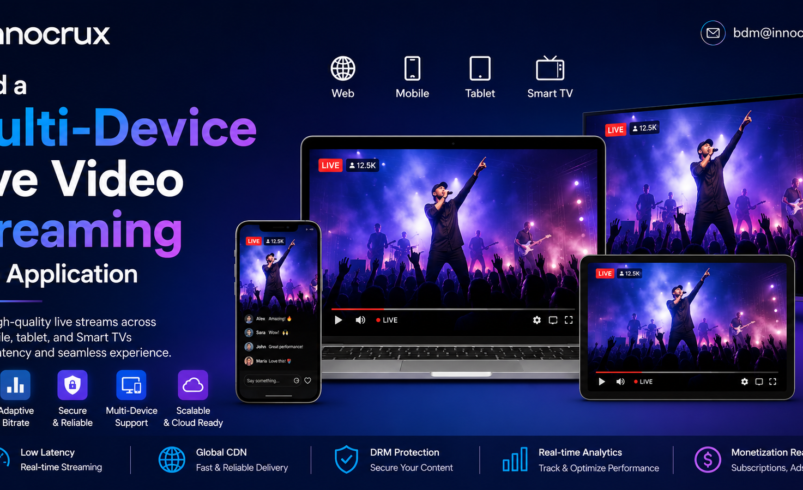
The demand for live video streaming continues to grow as businesses, broadcasters, educational institutions, sports organizations, entertainment companies, and enterprises look for better ways to engage audiences across multiple devices. Today’s viewers expect to watch live events on smartphones, tablets, laptops, smart TVs, and connected devices without interruptions or quality issues.
Building a multi-device live video streaming web application requires more than simply broadcasting video. It involves creating a scalable platform capable of delivering high-quality streams, minimizing latency, adapting to different network conditions, and supporting thousands or even millions of concurrent viewers.
Whether you’re planning to launch an online learning platform, a sports streaming service, a corporate broadcasting solution, or a live entertainment platform, the right architecture and technology stack play a crucial role in delivering an exceptional viewing experience.
In this guide, you’ll learn everything you need to know about building a modern live video streaming web application that works seamlessly across devices while providing security, scalability, monetization, and outstanding video quality.
Why Multi-Device Streaming Matters
Modern audiences no longer consume content from a single device. They switch between smartphones during travel, laptops at work, tablets at home, and Smart TVs for premium viewing experiences.
A multi-device streaming application allows users to:
- Watch from any device
- Continue playback across devices
- Enjoy adaptive video quality
- Experience minimal buffering
- Access content anytime and anywhere
For businesses, this means:
- Larger audience reach
- Increased watch time
- Higher engagement
- Better subscriber retention
- Improved revenue opportunities
Essential Features of a Multi-Device Live Streaming Web Application
Responsive User Interface
A responsive interface automatically adapts to different screen sizes without compromising usability.
It should support:
- Desktop browsers
- Mobile browsers
- Tablets
- Smart TVs
- Foldable devices
Users should experience consistent navigation regardless of screen size.
Adaptive Bitrate Streaming (ABR)
Internet speeds vary from user to user.
Adaptive Bitrate Streaming automatically adjusts video quality based on available bandwidth.
Benefits include:
- Less buffering
- Smooth playback
- Better user experience
- Reduced stream interruptions
Protocols commonly used include:
- HLS
- MPEG-DASH
- CMAF
Low-Latency Streaming
For sports, gaming, webinars, auctions, and live events, reducing delay is essential.
Low-latency streaming enables:
- Real-time audience interaction
- Live chat synchronization
- Faster viewer engagement
- Better event experiences
Technologies include:
- WebRTC
- Low-Latency HLS (LL-HLS)
- Low-Latency DASH
Cross-Platform Video Player
Your streaming application should support all major browsers, including:
- Chrome
- Safari
- Firefox
- Edge
The video player should also support:
- Full HD
- 4K streaming
- Captions
- Multiple audio tracks
- Playback controls
- Picture-in-picture mode
Secure Authentication
Protect your streaming platform with:
- OAuth authentication
- Single Sign-On (SSO)
- Multi-factor authentication (MFA)
- Social login integration
This ensures only authorized users can access premium content.
Core Technologies Required
Frontend
Popular frameworks include:
- React
- Angular
- Vue.js
- Next.js
These frameworks provide fast rendering and responsive user experiences.
Backend
Recommended technologies:
- Node.js
- Python
- Java
- Go
Backend responsibilities include:
- User authentication
- Video session management
- Payment processing
- Analytics
- Notifications
- Content management
Video Processing
A professional streaming platform requires:
- Live transcoding
- Encoding
- Packaging
- Adaptive bitrate generation
Popular tools include:
- FFmpeg
- GPU encoding
- Hardware acceleration
Streaming Protocols
Choose protocols based on your use case:
| Protocol | Best For |
| HLS | Universal compatibility |
| DASH | Adaptive streaming |
| WebRTC | Ultra-low latency |
| RTMP | Video ingestion |
| SRT | Reliable contribution feeds |
Content Delivery Network (CDN)
A CDN distributes content closer to viewers.
Benefits include:
- Faster loading
- Reduced buffering
- Lower latency
- Global scalability
- High availability
Building the Application Step by Step
Step 1: Define Your Streaming Requirements
Identify:
- Audience size
- Streaming quality
- Supported devices
- Live event duration
- Monetization strategy
Planning early prevents costly redesigns later.
Step 2: Design the Platform Architecture
Your architecture should include:
- Load balancers
- Streaming servers
- CDN
- Authentication service
- Database
- Monitoring tools
A modular architecture makes future scaling easier.
Step 3: Build the Frontend
Create responsive pages for:
- Home
- Live events
- Categories
- User profiles
- Subscription management
- Search
- Video player
Optimize for touch interactions on mobile devices.
Step 4: Develop the Streaming Backend
Implement services for:
- Stream creation
- Session management
- User authentication
- Video metadata
- Notifications
- Analytics
Use APIs to connect frontend and backend seamlessly.
Step 5: Integrate Video Encoding
Your encoding pipeline should support:
- 240p
- 360p
- 480p
- 720p
- 1080p
- 4K
Multiple resolutions improve playback across varying network conditions.
Step 6: Add Security Features
Protect your content using:
- DRM
- AES encryption
- Secure token authentication
- Watermarking
- Domain restrictions
- Geo-blocking
These measures help prevent unauthorized access and content piracy.
Step 7: Test Across Devices
Ensure compatibility on:
- Android smartphones
- iPhones
- iPads
- Windows laptops
- macOS devices
- Smart TVs
- Android TV
- Apple TV
Testing across platforms helps identify playback and interface issues before launch.
Monetization Options
A successful live streaming platform can generate revenue through multiple business models.
Popular monetization methods include:
- Subscription (SVOD): Monthly or annual plans for premium content.
- Pay-Per-View (TVOD): Charge viewers for individual live events.
- Advertising (AVOD): Display pre-roll, mid-roll, or banner ads during streams.
- Freemium: Offer basic content for free and premium features through paid subscriptions.
- Sponsorships: Partner with brands to sponsor live events or exclusive broadcasts.
Supporting multiple monetization models helps maximize revenue while catering to different audience preferences.
Best Practices for a Successful Live Streaming Application
To deliver a reliable streaming experience:
- Optimize video encoding settings for faster delivery.
- Use adaptive bitrate streaming to reduce buffering.
- Deploy a global CDN for low-latency content delivery.
- Monitor stream health in real time.
- Implement robust security with DRM and secure authentication.
- Provide live chat, reactions, and audience engagement features.
- Perform regular performance testing across browsers and devices.
- Scale infrastructure automatically during traffic spikes.
Why Choose Innocrux for Multi-Device Live Streaming?
Innocrux provides an end-to-end live streaming platform designed for businesses that need secure, scalable, and high-performance streaming solutions. The platform supports delivery across web browsers, mobile devices, Smart TVs, and connected devices from a single backend.
Key capabilities include:
- White-label live streaming platform
- Multi-device compatibility
- Adaptive bitrate streaming
- Low-latency live streaming
- Cloud-native architecture
- DRM and content protection
- Flexible monetization options
- Real-time analytics and viewer insights
- API integrations
- Scalable infrastructure for global audiences
Whether you’re streaming live sports, virtual events, education, religious services, or corporate communications, Innocrux helps you deliver a seamless viewing experience while maintaining full control over your brand and content.
Conclusion
Building a multi-device live video streaming web application requires thoughtful planning, the right technology stack, and a focus on performance, scalability, and user experience. By incorporating responsive design, adaptive bitrate streaming, low-latency delivery, strong security, and flexible monetization, you can create a platform that meets the expectations of today’s viewers across every screen.
As live streaming continues to grow across industries, investing in a scalable and future-ready streaming solution ensures your platform can adapt to evolving audience needs and business opportunities. With the right architecture and a reliable technology partner like Innocrux, you can launch a powerful live streaming application that delivers high-quality experiences to audiences worldwide.